Teams
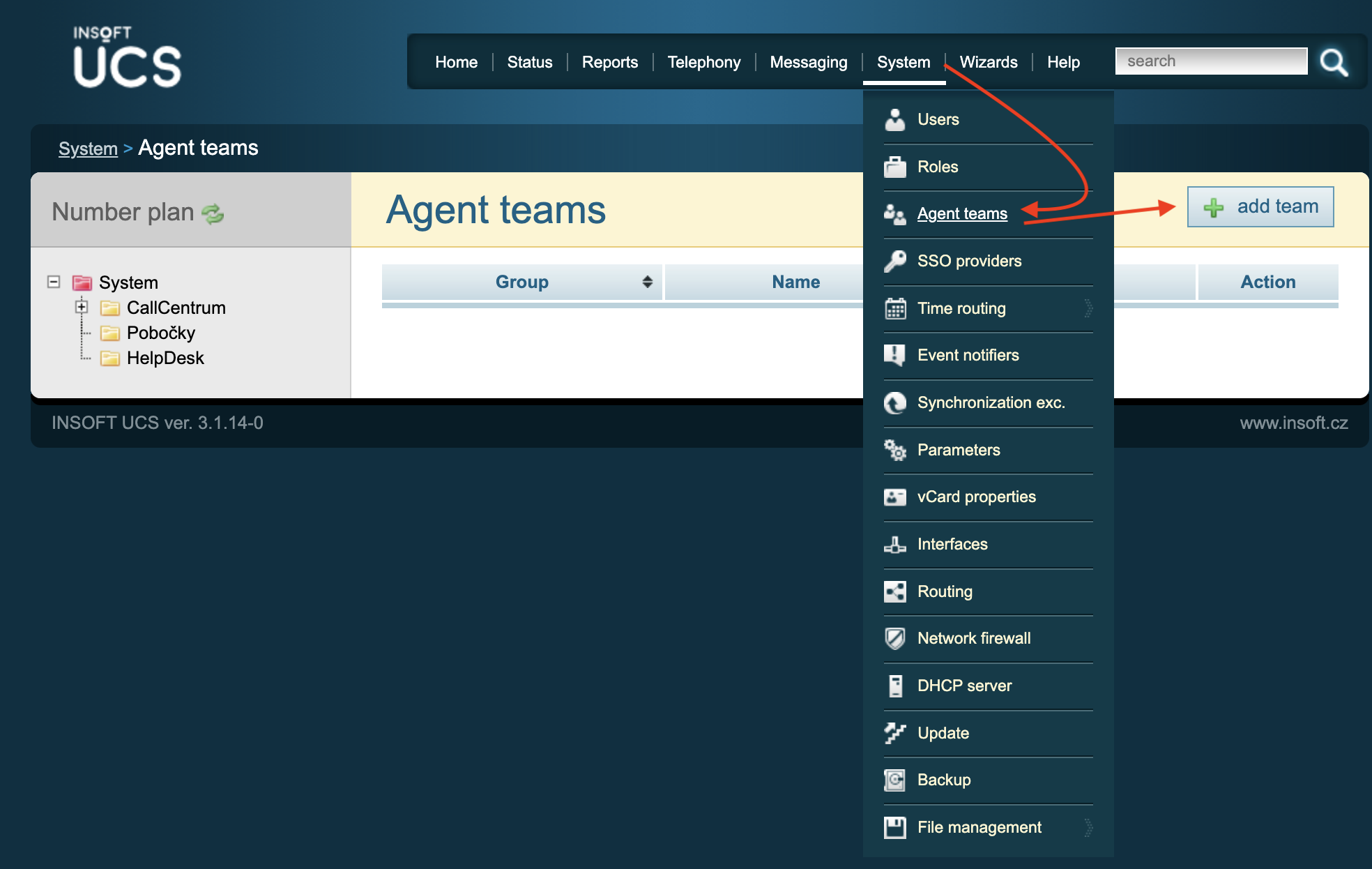
☰ System → Agent teams → add team
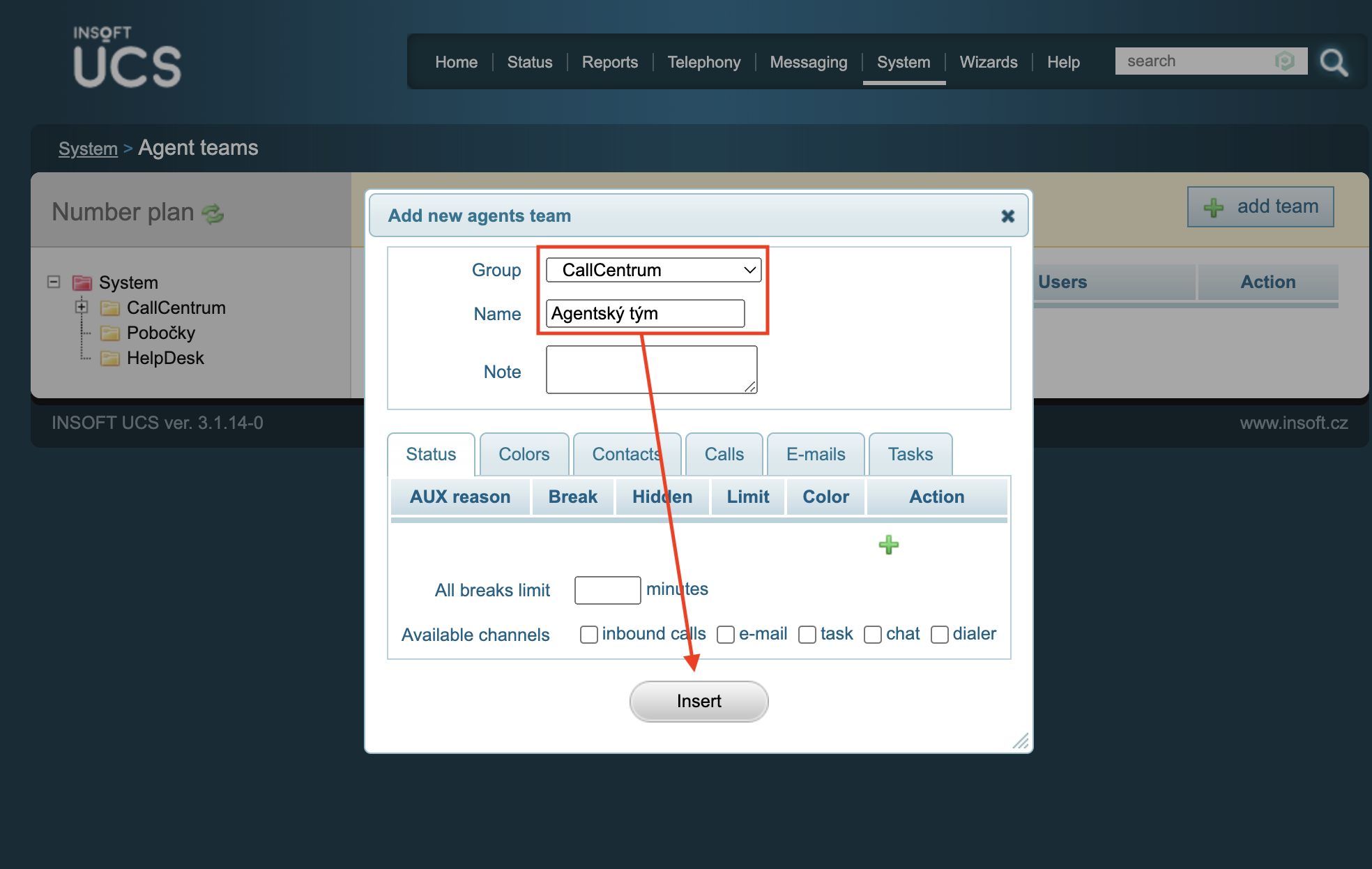
- Name: Team name
- Note: Note
Status
AUX reason: Name of the state when the agent does not receive calls (is engaged in other activities) General telephony terms
Color
Sets the colors that are displayed in the Operator application to agents when they switch to a given state
Contacts
Additional contacts when transferring a call Call Transfer
Calls
Allow direct transfers to agent: Allows direct transfer to agent. Allow transfers to queues: Allows transfers to queues.
Inbound queue agent defaults: default values for the inbound queue
Priority: The priority of the agent. Higher number = earlier call assignment
Agent A has a priority of 100, Agent B has a priority of 80 Both agents are in the same queue to which the client is calling. The call will be forwarded to Agent A.
Switch to ACW after call: Automatically switches agent to ACW AUX state after hanging up Maximum time in ACW: After what time the agent will be switched back to the online state Switch to state if not answering: If the agent is not answering calls, switches it to state Time in state if not answering: How long it stays in state if not answering calls
If empty, the agent remains switched in that state.
Outbound queue agent defaults: default values for the outgoing queue
Switch to ACW after call: Automatically switches agent to ACW AUX state after hanging up Maximum time in ACW: After what time the agent will be switched back to the online state
Emails
Maximum assigned e-mails to one agent: maximum number of assigned e-mails per agent
E-mail queue agent defaults: default values for the e-mail queue
Priority: priority Maximum assigned emails in specific queue: maximum number of assigned emails per agent and per specific queue