Calls
Active calls
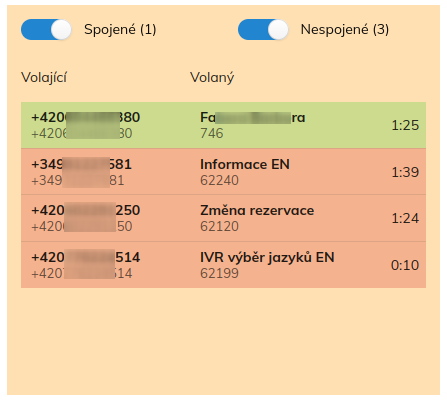
List of ongoing calls in the switchboard. Unconnected calls are marked in red, connected calls in green. If the name of the caller or called party is found, it is displayed in the top line and the phone number in the bottom line. Switches in the upper part of the widget filter connected or unconnected calls from the list.
Settings
Groups
Selection of groups for which calls are to be displayed. Each call is classified into groups by source and destination part (eg trunk, IVR, queue, phone, etc.). If at least the source or destination part (number) of the call belongs to one of the selected groups, then the call is displayed in the overview. Calls are not shown for the whole branch, only for the specifically selected groups.
Connected
Should connected calls be displayed when the widget is first displayed?
Unconnected
Should unconnected calls be shown when the widget is first displayed?